
See what a house really does to your finances.
Before you talk to a lender, see the numbers at closing, in five years, and in fifteen.
Free · iOS 26+ · Finance
- Free forever
- Your real balance sheet
- Stored on your device
- No account
How it works
From what you own to the projection
-
1Your accounts
Enter what you own
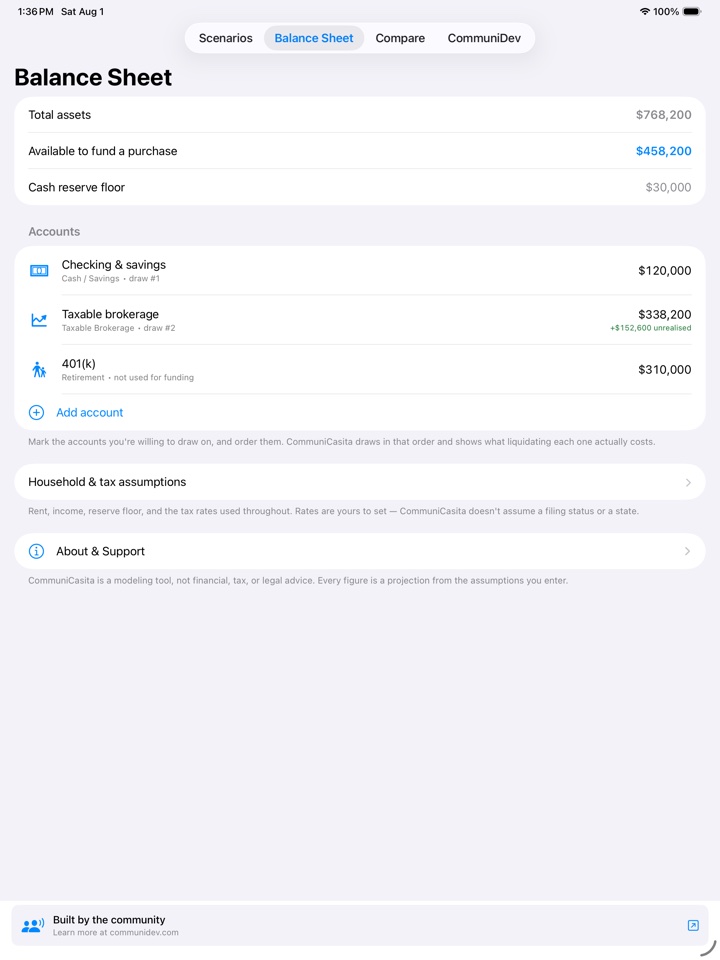
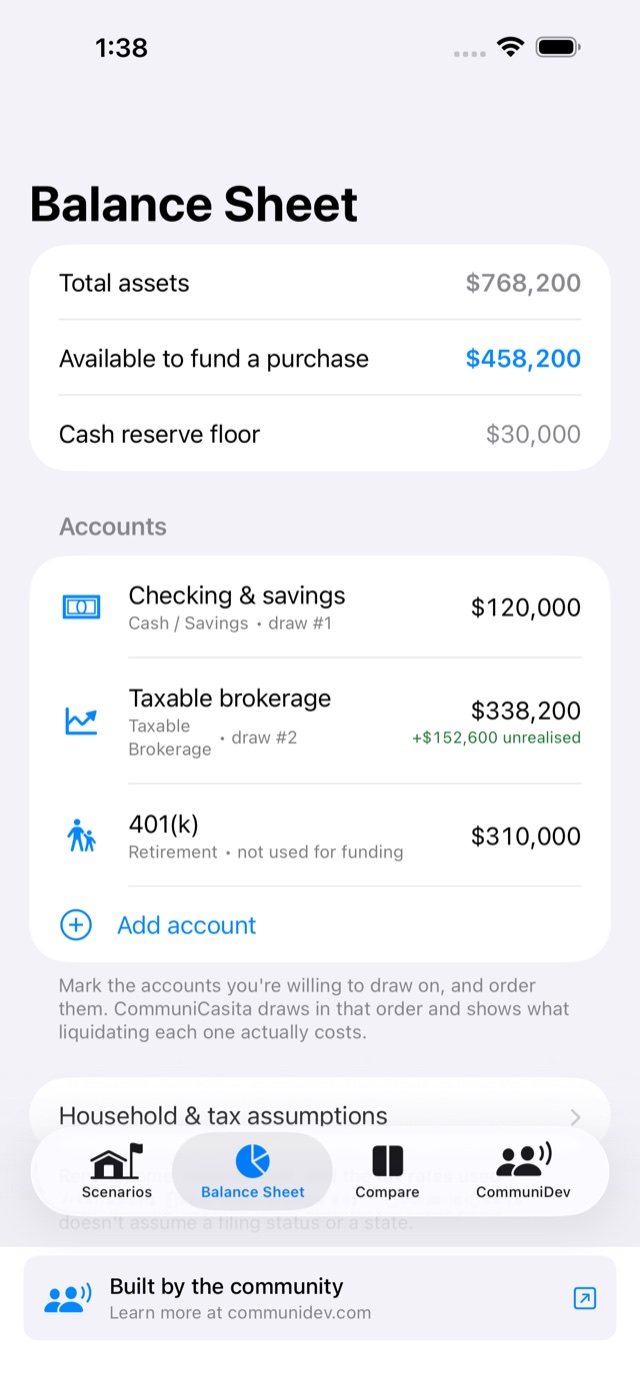
Accounts, holdings and what you paid for them. Mark which ones you would draw on, and in what order.
-
2The house
Describe the house
Price, taxes, insurance, HOA and closing costs for the place you are actually looking at.
-
3The loans
Stack the loans
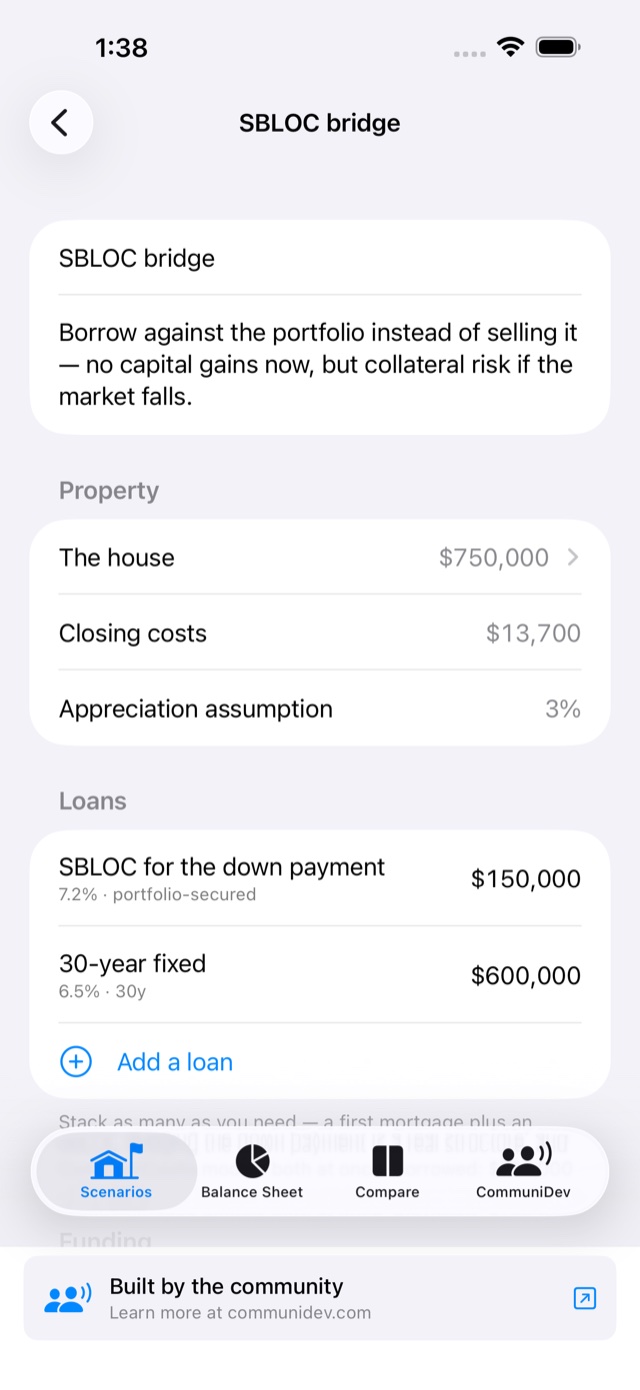
A first mortgage, a HELOC, an SBLOC for the down payment: whatever mix you are weighing.
-
4The result
See the projection
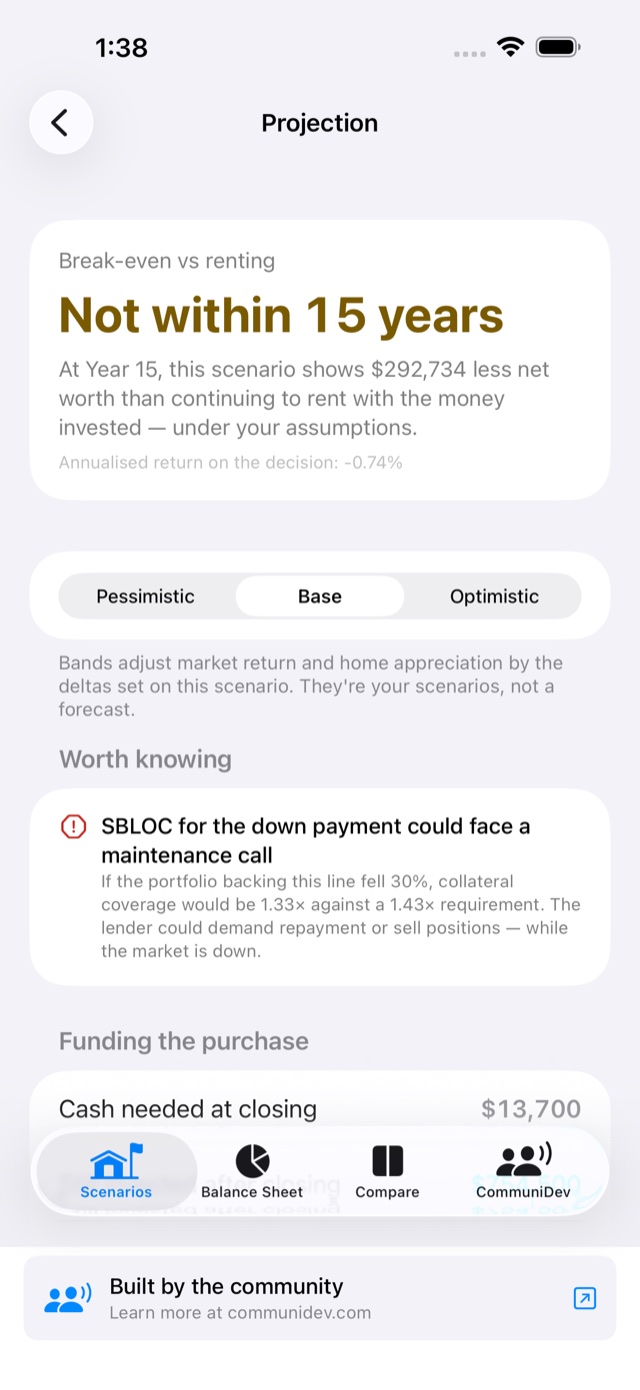
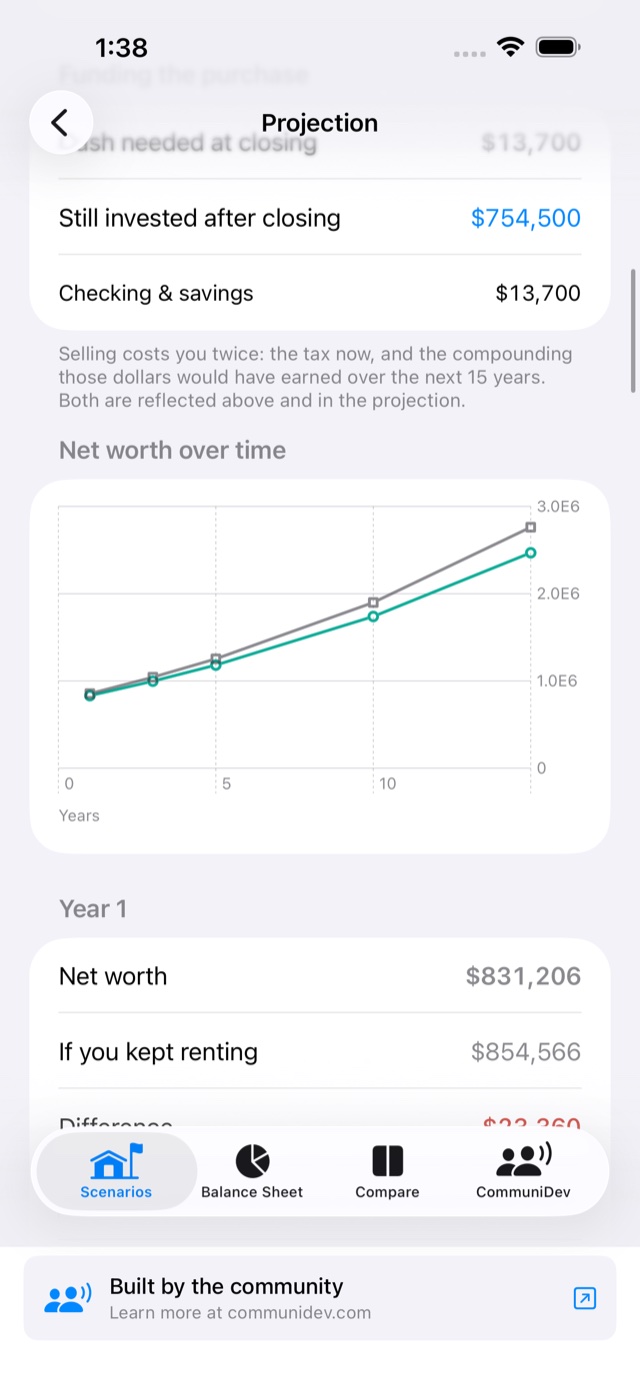
Tax on what you sell, break‑even against renting, warnings, and 15 years of numbers you can trace back to your inputs.
What it does
It starts from what you actually own
Most mortgage calculators start at “down payment = $50,000” and hand you a monthly payment. CommuniCasita starts from your actual accounts and holdings, works out what it costs to turn them into a house, tax included, and scores every scenario against simply staying put with the money invested.
Model the whole purchase
Price, property tax, insurance, HOA, maintenance and itemised closing costs, not just the loan.
Every way to borrow
30‑ or 15‑year fixed, FHA, VA, ARM with caps, interest‑only, HELOC or an SBLOC, stacked the way you would really do it.
What selling really costs
Per‑lot cost basis splits long‑ from short‑term gains, and you pick which lots to sell: FIFO, highest or lowest basis.
Against not buying
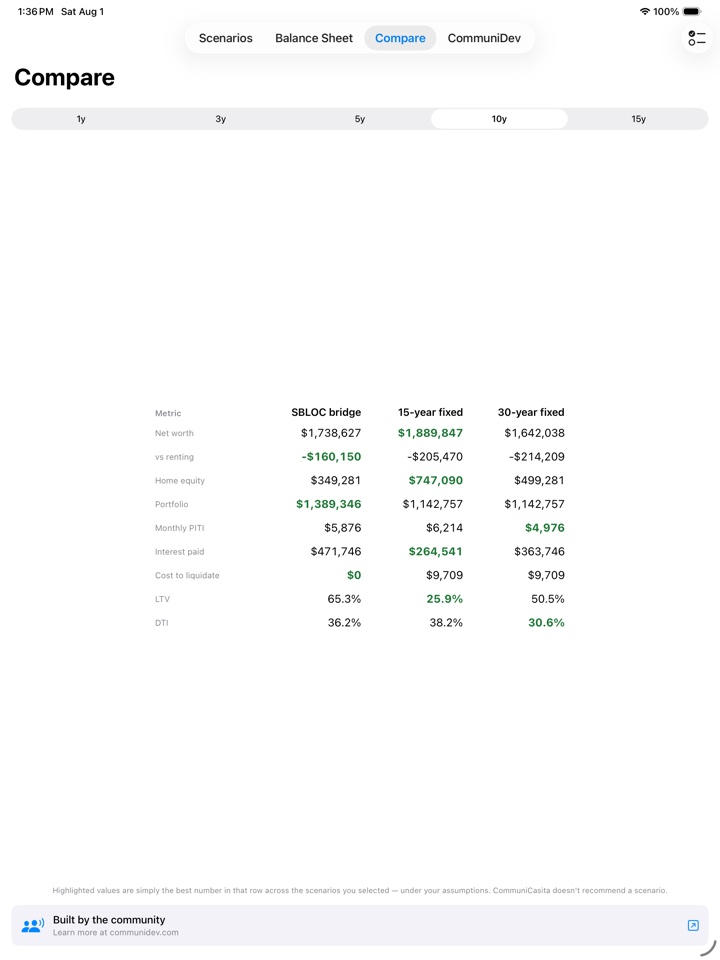
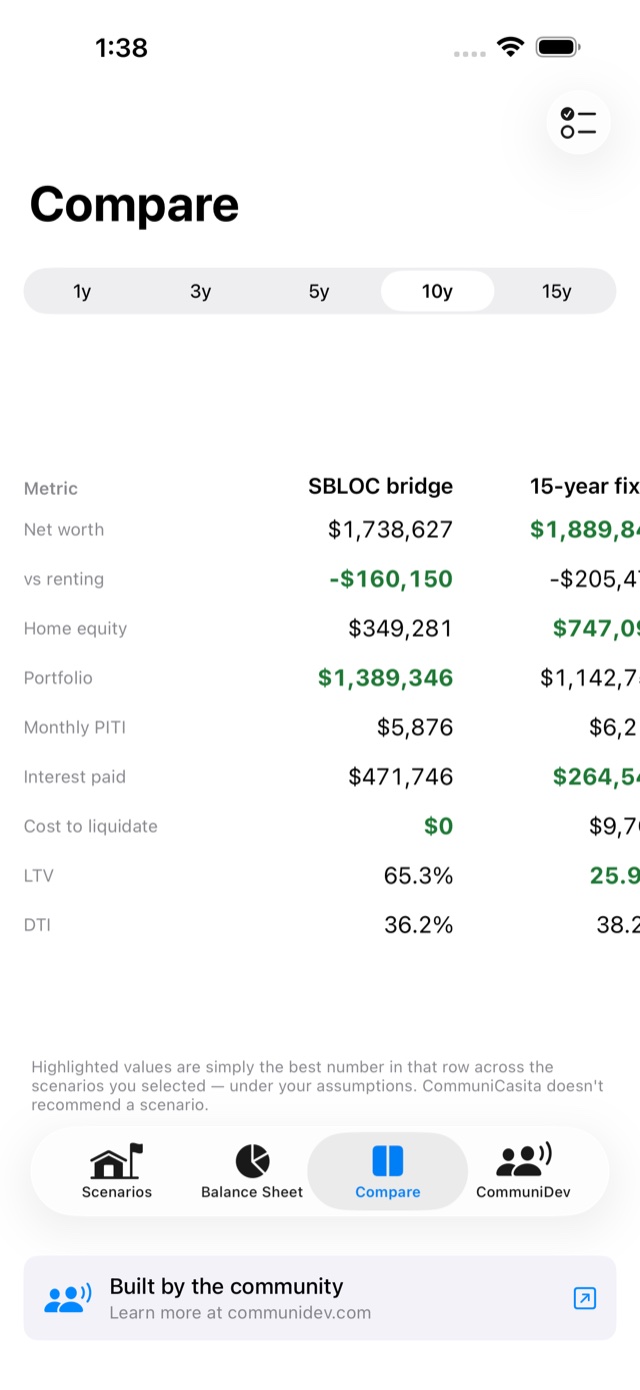
Break‑even year and how far ahead or behind you would be at 1, 3, 5, 10 and 15 years versus renting.
It warns you
Flags a cash reserve you would drop below, DTI past your own line, or an SBLOC that could face a maintenance call.
A report to take along
Export any scenario as a PDF to bring better questions to your mortgage broker and your CPA.
On iPad too
Side by side, for real
On iPad, Compare spreads your scenarios across parallel columns, so the numbers that matter line up row by row. It’s the same app, with nothing extra to buy or download.
Each device keeps its own accounts and scenarios.
A look inside
A worked example to start
It opens with a worked example, one $750,000 house bought three ways, so you have something to explore before you enter a single number.
A modeling tool, not advice
CommuniCasita shows projections built from your own assumptions. It is not financial, tax or legal advice, and it does not recommend a scenario. Use it to ask a mortgage broker and a CPA better questions.
Know the numbers before the lender does
Every feature is included. After the first free day, one short ad opens the app for the next 12 hours. That’s the whole business model.
Free, no subscription.
What you need
- DevicesiPhone or iPad
- SystemiOS / iPadOS 26 or later
- Accounts to linkNone. You type what you own
- CostFree, ad supported